 Shoopy
 Best ecommerce website builders for small businesses in India (2026)
Four ecommerce website builders for a small business in India, compared on monthly cost, setup work, UPI payments and GST invoices, and who should pick which.
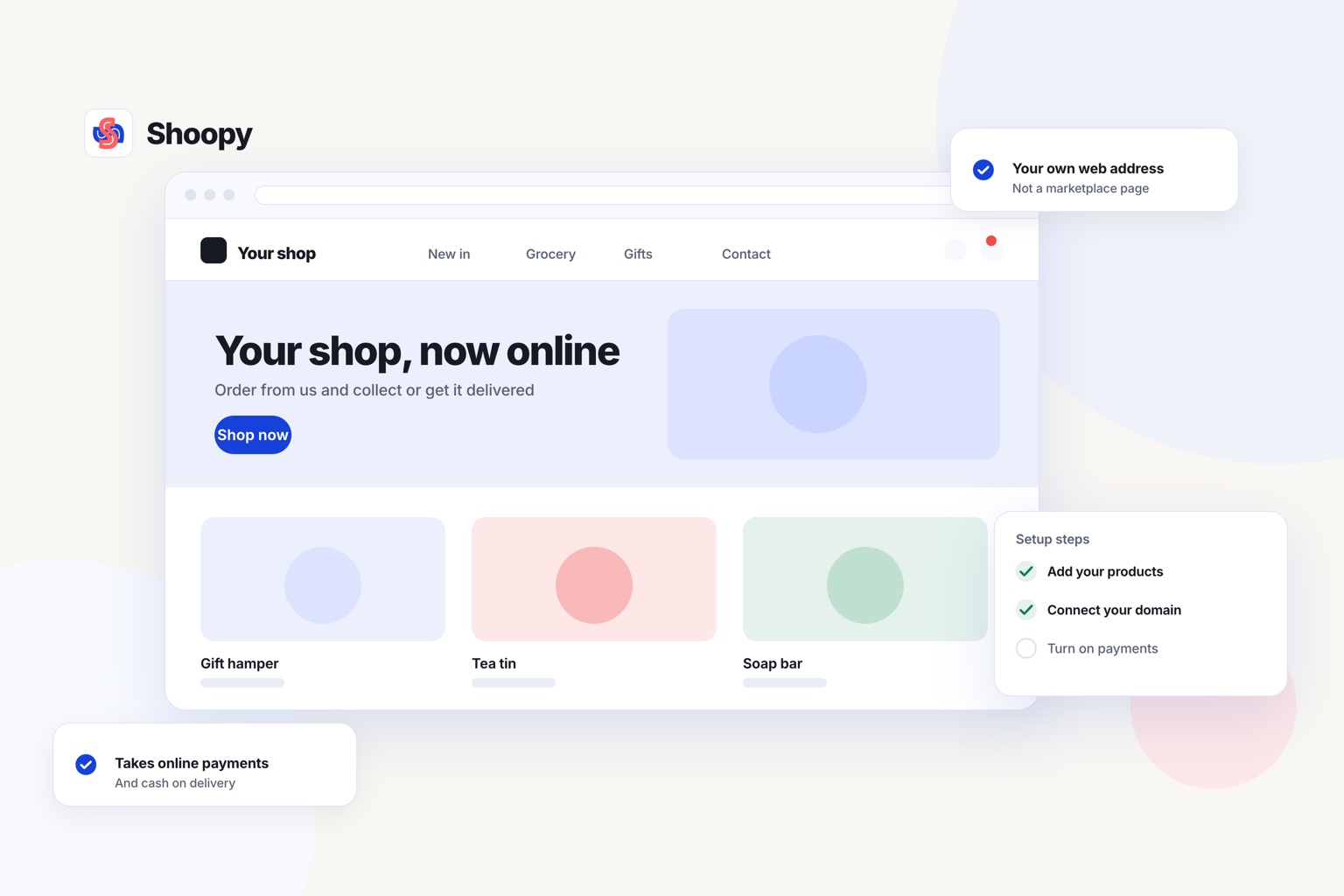
Quick Answer: Shopify, WooCommerce, Wix and Shoopy are four ecommerce website builders a small business in India can compare in 2026. Choose by your monthly budget, the setup work you can manage, and whether checkout takes UPI and makes GST invoices. Shoopy runs counter billing and the online store from one catalogue, and its checkout takes UPI and cash on delivery.
An ecommerce website builder is software that turns your product list into a website where buyers can pay and place orders. When you pick an ecommerce platform for small business use, the plan price is only one line of the cost. Order fees, gateway charges and your own setup hours add to it.
Which ecommerce website builders can a small business in India choose from?
A small business in India can choose a hosted builder, which runs the website for you, or self-run software, which you host yourself. The table compares four, sorted by the kind of business, not by rank.
| Builder | What its own page says | What to check at your budget |
|---|---|---|
| Shopify | As of October 2026, Shopify’s India pricing page describes Basic as “for solo entrepreneurs” and Grow as “for small teams”, and lists a fee of 2% (Basic) or 1% (Grow) on orders paid through 3rd-party payment providers | Which gateway will take your UPI payments, and is its charge added to that fee? |
| WooCommerce | As of October 2026, WooCommerce’s pricing page lists the core platform as “Free, with no monthly subscription”, with no extra fee for a third-party payment solution, while you choose your own hosting provider and buy extensions separately | Who will set up the hosting, the gateway and the GST invoice, and keep them updated? |
| Wix | As of October 2026, Wix’s plans page lists “Accept payments” and eCommerce on the Core, Business and Business Elite plan cards but not on Light, and builds sites from templates with a drag-and-drop editor | How much of your website is the store, and how much is pages about your work? |
| Shoopy | An online store on your own domain that reads the same catalogue as your counter billing. It takes UPI and cash on delivery, and each online order gets a GST invoice. Plans and current prices are on the pricing page | Do you also bill customers at a counter? |
Another name to check
You may also see Dukaan on lists like this one. Open its own pricing page, and add every cost that page lists to the same monthly sum before you decide.
What will a website builder cost a small business each month?
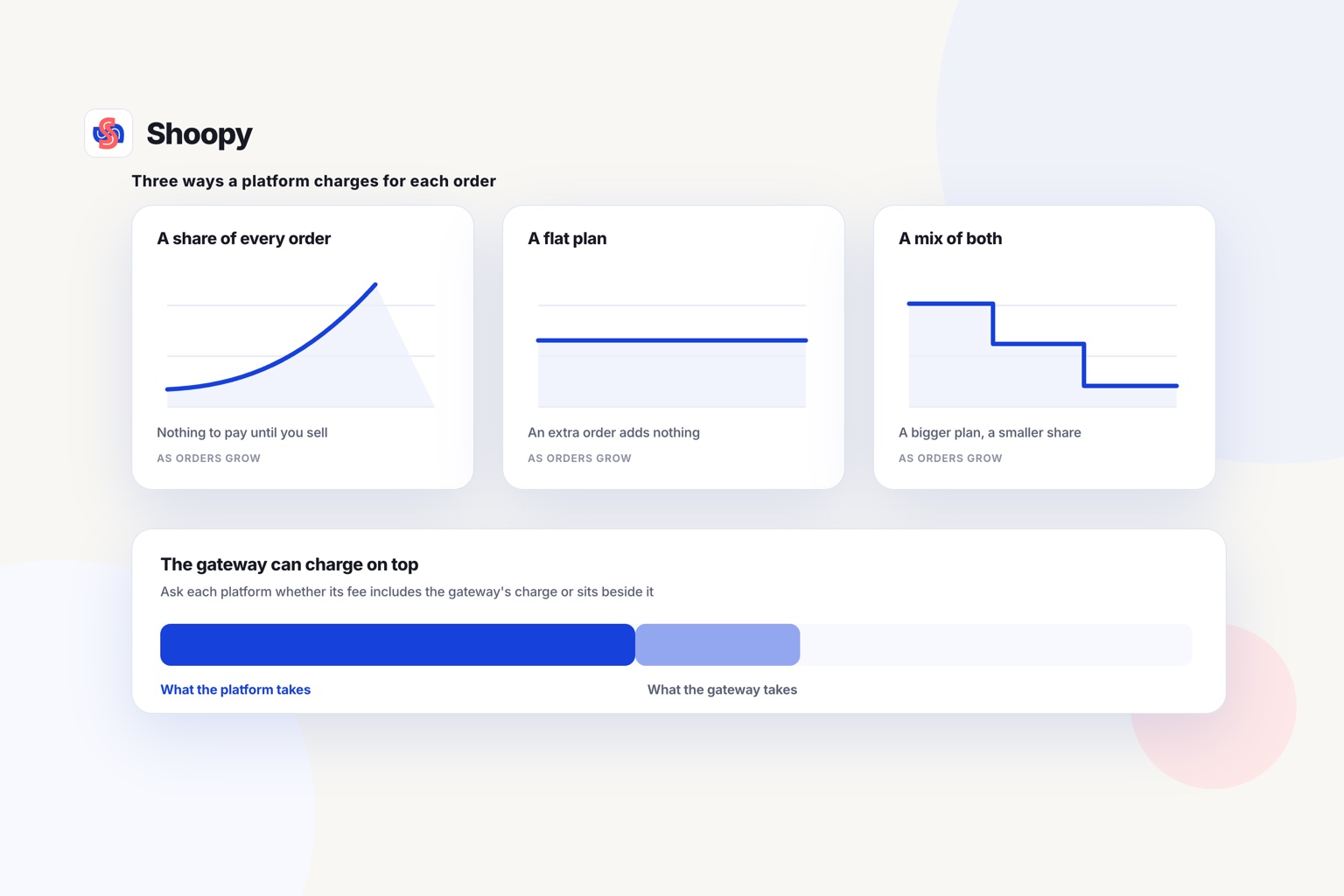
Add four costs each month: the plan, any fee on each order, the payment gateway’s charge, and paid extensions or hosting.
The four lines of the bill
- The plan. You pay it whether you sell or not. Check the renewal price as well as the first year’s price.
- A fee on each order. Some plans take a percentage of every order. The middle column of the table shows which rows list one.
- The gateway’s charge. A payment gateway is the company that moves a buyer’s online payment into your bank account. It charges for each payment.
- Extensions and hosting. Self-run software needs a hosting company and often paid extensions. On a hosted builder, ask which tools need a paid extension.
A worked example at 100 orders a month
Say you take 100 online orders a month, all paid through a gateway. If the builder’s fee is 2%, those orders cost you the value of two orders, in addition to the plan. If the fee is 1%, they cost the value of one order.
A builder with no order fee adds nothing per order. You still pay the gateway’s charge on each payment.
At 300 orders a month, a fee of 2% costs the value of six orders every month. So compare builders at next year’s order count, not this month’s.
Which payment gateways and GST features does a small online store in India need?
It needs a gateway for UPI payments, cash on delivery, and a GST invoice for each online order if you are GST-registered.
The payment gateway
UPI (Unified Payments Interface) lets a buyer pay straight from a bank account using a phone app. Razorpay and PayU are two gateways that take UPI for online stores in India.
A builder connects your store to the gateway, but the gateway runs its own checks first. It asks for your bank details and business documents, known as KYC (know your customer), before it pays out. On self-run software, also ask which extension connects the gateway and who will update it.
In the table’s last row, online payments run through Razorpay or PayU, set up in Payment Settings. Buyers can also choose cash on delivery.
The GST invoice
As of October 2026, rule 46 of the CGST Rules says a tax invoice in India must show the supplier’s GSTIN, a serial number, the date and the HSN code. It must also show the taxable value and the rate and amount of central, state or integrated tax. GSTIN is your GST identification number, and HSN (Harmonised System of Nomenclature) is the code that classifies each product.
Check whether the builder makes this invoice by itself for every online order. If it does not, you add an extension or type each invoice by hand. In that last row, the online invoice carries CGST and SGST or IGST and HSN codes, from the same catalogue the counter bills from.
To test a printed bill field by field, use this checklist for GST billing at the counter.
How much setup work does an ecommerce platform for small business owners need?
On a hosted builder, setup is mostly forms and settings. On self-run software, you or a developer also run the hosting, the updates and the extensions.
What is a hosted website builder?
A hosted builder runs the server, the security certificate and the software updates for you. You add products, connect a gateway and set delivery charges from a dashboard.
What is self-run ecommerce software?
Self-run software gives you the code and leaves the running to you. Someone must renew the hosting, install updates and fix clashes between extensions. Count that person’s hours as part of the monthly cost.
A setup list for any builder
This store setup guide lists seven steps, from store details to a test order. Six of them work in the same order on any builder:
- Business details. Add your legal name, address and GSTIN, if registered, because they print on every invoice.
- Products. Add photos, prices, stock and the HSN code for each product.
- Payments. Open the gateway account and send its KYC documents early.
- Delivery. Set a delivery charge for each area you serve.
- Policies. Write short returns, shipping and privacy policies.
- A test order. Place one order with each payment mode, then cancel it.
What goes wrong when a small business picks its first website builder, and how do you avoid these mistakes?
Plan for four mistakes: choosing on the plan price alone, choosing software nobody can run, keeping two stock counts and starting payment checks late.
Choosing on the plan price alone. A low plan with a fee on each order can cost more than a higher plan once orders grow. Work out the monthly total at next year’s order count.
Choosing software nobody can run. Self-run software needs someone to keep it updated and fix it when an extension breaks. If you have no developer, a hosted builder saves those hours.
Two stock counts. You sell the last pair of chappals at the counter, and the website still shows the pair as in stock. With billing at the counter and the website on one catalogue, there is only one count to keep.
Late payment checks. The gateway pays nothing out until its KYC checks are complete. Send your documents before you add products.
Register your web address in your business’s name, too, not in a freelancer’s name. Then you can point it to a new builder later.
Which website builder fits which small business?
Match the builder to how you sell today and how much help you have. The points below are grouped by type of business, not ranked.
- You work alone or with a small team. Read the plan descriptions in Shopify’s row, then add its fee line to your monthly sum.
- You or someone in your family can run a website. Start from WooCommerce’s row, and read its last column before you begin.
- You want to build your website from templates in a drag-and-drop editor. Read Wix’s row, and check which plan in it takes payments.
- You run a shop and want the counter and the website on one stock count. Look at the last row. A sale at the counter drops the online stock by one.
One limit applies to the last row. Shoopy does not offer full drag-and-drop page design or full code access. If the look of every page matters more to you than the store, a design-led builder fits better.
Do you want UPI, cash on delivery and GST invoices from the same catalogue as your counter? See how the Shoopy online store runs on your own domain, and book a demo from that page.
Frequently asked questions
Can you move to another builder later without losing your store?
Plan for it before you start. Check that you can export your products, customers and orders as spreadsheet files, and that the domain is registered in your name rather than the builder’s. A builder that holds your domain or your customer list makes the second move far more expensive than the first.
Can I accept UPI on my website without a payment gateway?
Yes, but you check each payment by hand. You can show your UPI ID or a QR code at checkout, and the buyer pays from a phone app. You then match each payment to its order yourself. A payment gateway usually links each payment to its order for you, which helps once orders arrive every day.
Should a small business pay monthly or yearly for a website builder?
Pay monthly while you test the idea, so you can stop without losing a full year’s fee. Pay yearly once orders are steady and you have compared the yearly price with 12 monthly payments. Before paying yearly, ask whether any part of the fee comes back if you stop partway through.
Do I need my own domain name for an online store?
Yes, if you want buyers to remember your address and keep it when you change builders. Register a domain such as yourshop.in in your business’s name, and renew it on time. The .in ending is India’s country-code domain, managed by NIXI, the National Internet Exchange of India.
What should I check on a test order before my store opens?
Place 1 test order with each payment mode you offer, such as UPI and cash on delivery. Check that each order reaches your order list, that the GST invoice shows the right tax and that the delivery charge matches the buyer’s area. Then cancel the orders and refund any test payment.