 Shoopy
 Order routing software in India: sending online orders to the nearest store (2026)
Four order routing software options for sending an online order from the nearest shop or warehouse, how each one makes that choice, and what to set up so stock counts stay right.
Quick Answer: Shopify, Unicommerce, Zoho Inventory and Shoopy are four software options for sending an online order from the shop or warehouse nearest the customer. Shopify and Unicommerce describe rules that weigh stock and distance, and Zoho Inventory describes choosing the closest warehouse for an order. Decide whether the tool should also run your online store. Shoopy routes orders across a brand’s own outlets from one catalogue.
Order routing software is a tool that decides which of your shops or warehouses fulfils each online order. It reads the delivery address and the stock count at each shop, then applies rules in a set order. This guide compares four options by what each vendor’s own page says, sorted by the kind of business, not by rank.
How do Shopify, Unicommerce, Zoho Inventory and Shoopy route an order?
Four options are compared here: Shopify, Unicommerce, Zoho Inventory and Shoopy. Every row comes from the vendor’s own page, as of October 2026.
| Software | What its own page says about routing | Check before you choose |
|---|---|---|
| Shopify | As of October 2026, Shopify’s help page on order routing says its default rules run in this order: send the order in the fewest parcels, stay within the destination market, then ship from the closest shop or warehouse. It measures that distance in a straight line, not by road, and lets you rank warehouses ahead of shops | Whether straight-line distance matches the roads in your city |
| Unicommerce | As of October 2026, Unicommerce’s omnichannel retail page lists Smart Order Routing, which weighs how close each shop or warehouse is, delivery timelines and stock. It also lists Order Hopping, which moves a declined or unanswered order to another shop or warehouse, and lists integrations with marketplaces and with the billing software in your shops | How your counter billing connects to it |
| Zoho Inventory | As of October 2026, Zoho Inventory’s warehouse management page says you can add several warehouses, manage stock across them and dispatch each order from the warehouse closest to the customer | Whether your orders leave from shops or only from warehouses |
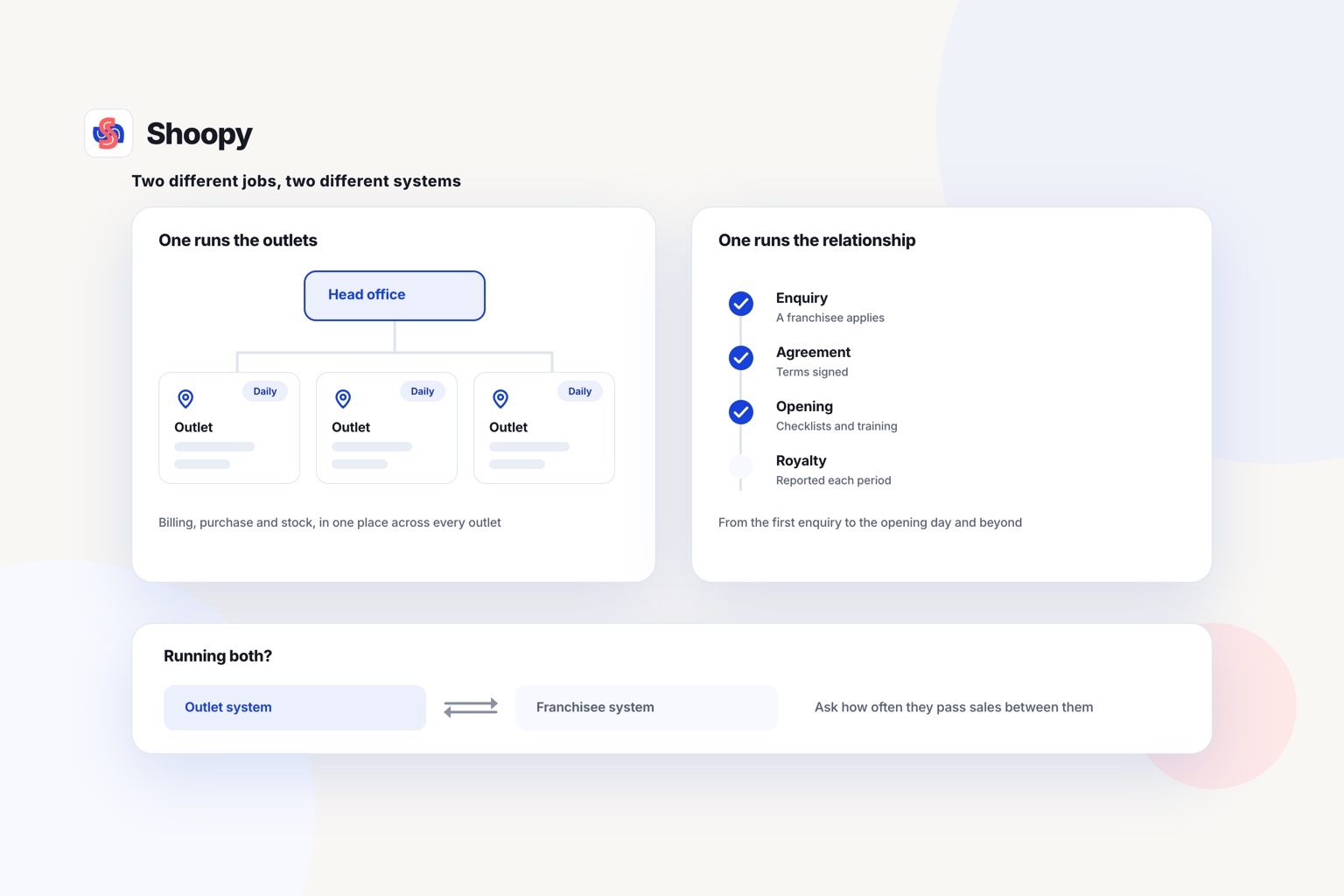
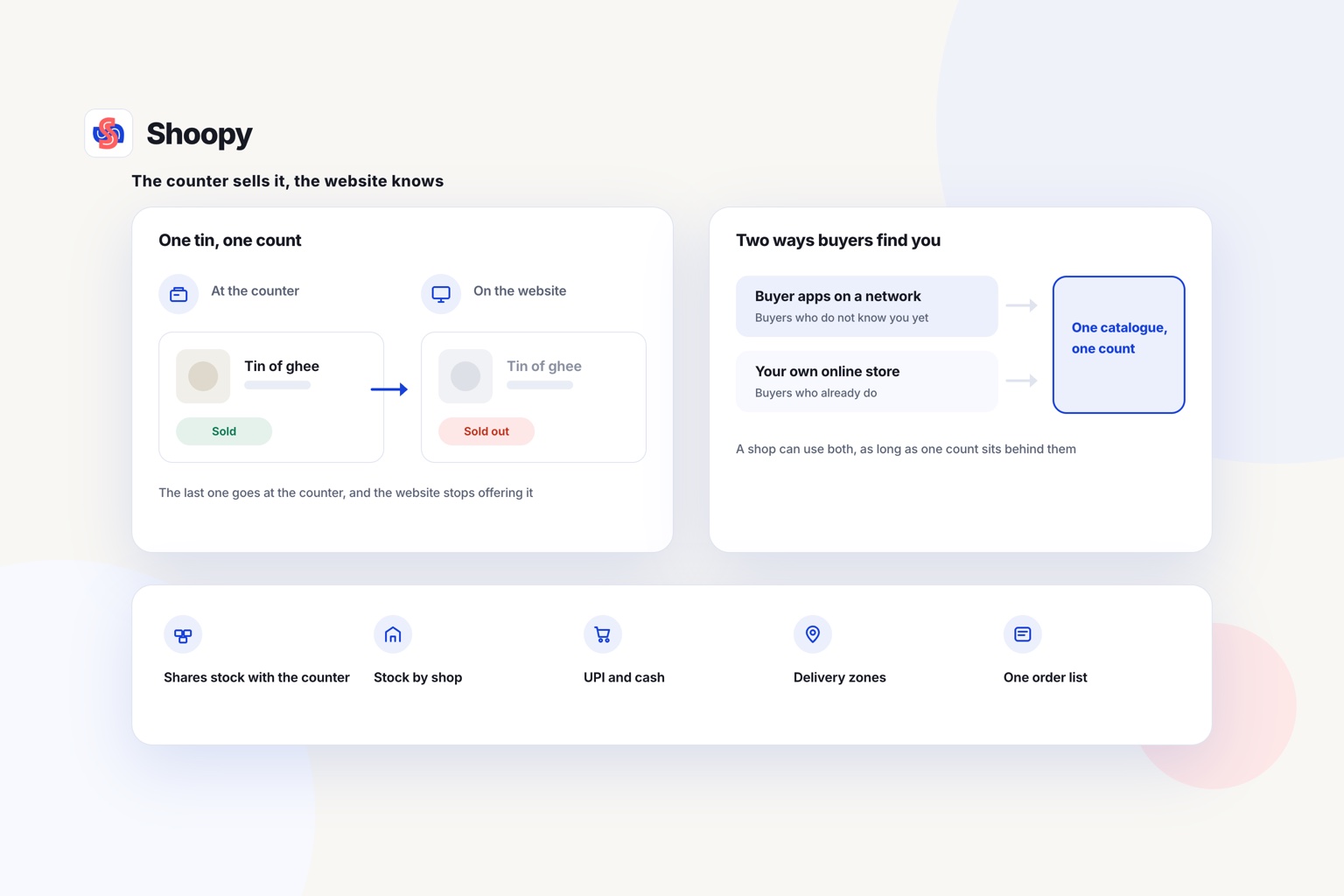
| Shoopy | Location-based ordering sends an online order to the outlet that serves the customer’s area, and that outlet’s own stock count fulfils it. Orders from the website, the branded app and the counter land in one list, each drawing stock from the outlet that fulfils it. Plans and current prices are on the pricing page | How many shops and warehouses you run |
How does each tool decide which shop is closest?
Read the middle column as a set of rules. The tools differ in how they measure “close” and in what happens when the first choice cannot take the order.
How does order routing pick the shop that gets the order?
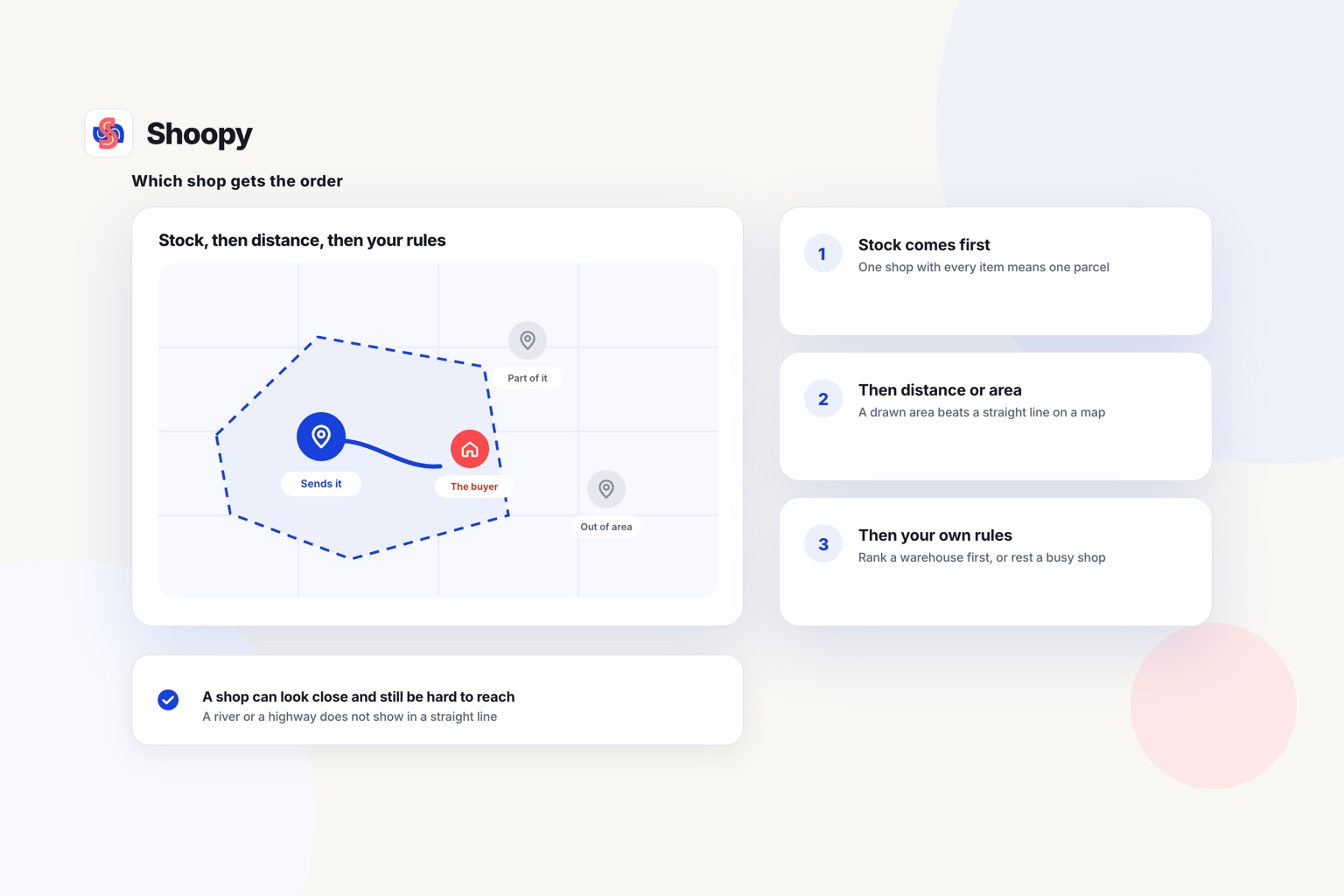
It checks three things: stock, distance or delivery area, and any rule you have added. The order of the checks differs by tool, so read it in the table.
Stock comes first
A shop that holds every item in the order can send it in one parcel. A shop that holds only some items would need a second parcel from somewhere else. So the software usually starts with the shops that can fill the whole order.
Then distance or delivery area
There are two common ways to judge which shop is nearest. The first measures the distance from each shop to the delivery address. The second gives each shop its own delivery area, and the customer’s address decides the shop.
Distance is simple to set up. But a shop that looks close on a map can sit across a river or a busy highway. A delivery area lets you mark only the streets your riders can really reach.
Then your own rules
Your own rules can run before the distance check or settle the cases it leaves open. You can rank a warehouse ahead of a shop, or keep a busy flagship shop for walk-in customers. Write each rule down, so your staff know why an order went where it did.
Does counter billing need to share stock with the online store?
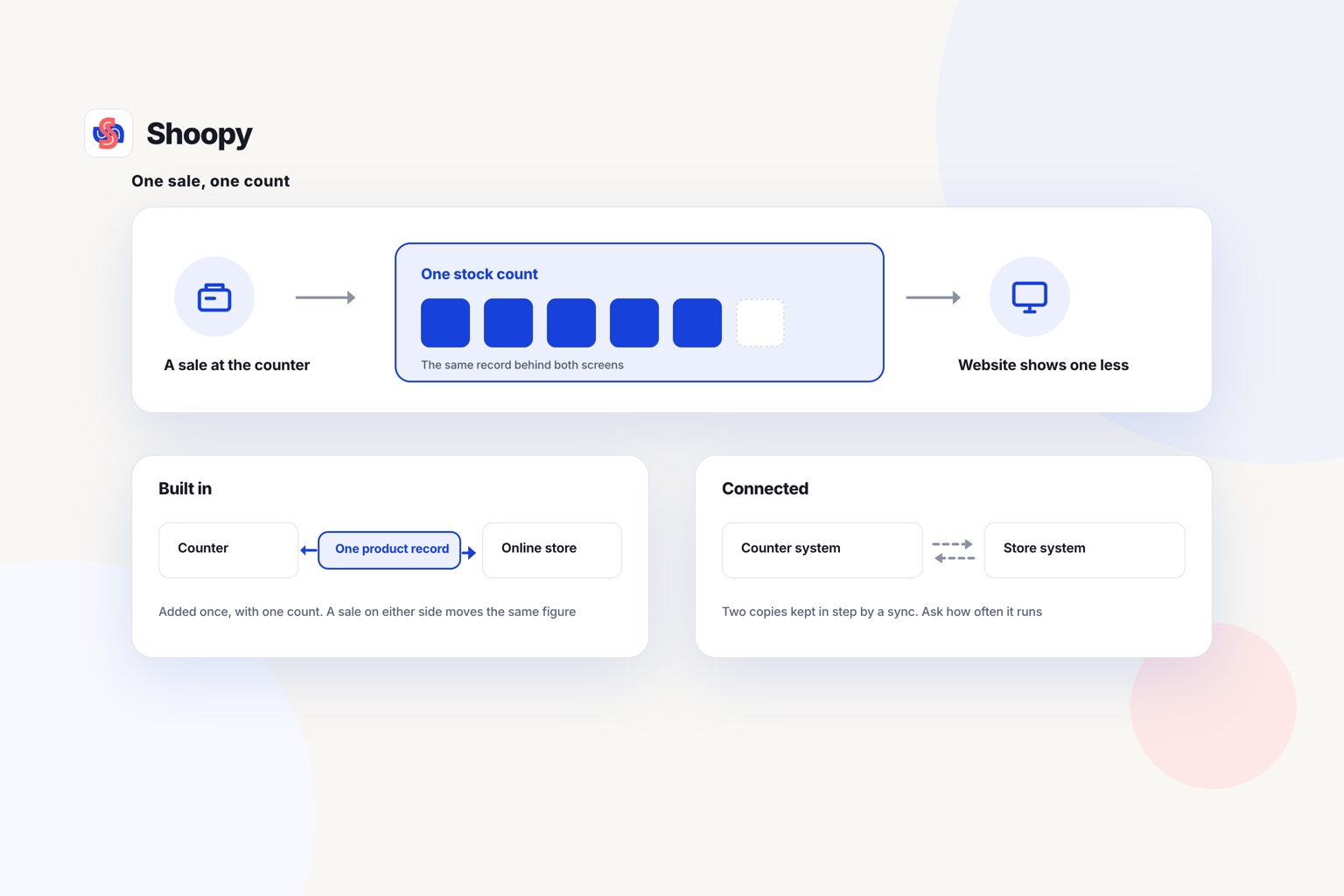
Yes, because routing trusts each shop’s stock count. If a counter sale does not reduce that count, the software sends orders to an empty shelf.
POS (point of sale) software is the system you use to bill customers at the counter. This guide calls it counter billing. When counter billing and the online store keep separate counts, the online count is wrong after every walk-in sale.
Here is the test. Bill a shirt at the counter of one shop. That shop’s online count should drop by one, and the other shops’ counts should not change.
Counter billing that reads the same catalogue as the online store passes this test without a second system. If your counter runs on separate software, ask how often it sends sales to the online store. A slow update leaves a gap in which the website can sell a unit that is already gone.
Should an order go out from a shop or from a warehouse?
Send it from a shop when the customer lives close by. Send it from a warehouse when the order is large or the address is far away.
A shop near the customer can deliver with its own rider on a short trip. But shop staff pack online orders between walk-in customers, so a busy hour can slow them down.
A warehouse holds deeper stock and has staff who only pack orders. It suits large orders and addresses that no shop’s delivery area covers. You can mix the two: shops for addresses inside their areas, and the warehouse for every other address.
Whichever you choose, every order should land in one list that shows which shop or warehouse owns it. That way nobody has to forward an order by phone. A single order queue for every channel shows website, app and counter orders together.
What should you set up before orders go to each shop?
Set up five things first: opening stock counts, delivery areas, a fallback owner, an order check routine and test orders.
- Opening stock counts. Count every item at every shop on the same day. A shop added with no count will show nothing, or show stock it does not have.
- Delivery areas. Draw each shop’s area on a map. Check that the areas do not leave gaps between them, and that no address falls inside two areas.
- A fallback owner. Name one person who decides what happens to an order that no shop can fill. Without an owner, that order waits until the customer calls.
- An order check routine. Agree how each shop sees new orders and who packs them. A shop that checks its list only twice a day will miss same-day orders.
- Test orders. Place a test order from an address near each shop, and one from the edge of each area. Check that every test order reached the shop you expected.
What goes wrong when orders go to the nearest shop, and how do you stop it?
Four problems are worth planning for: wrong counts, unseen orders, gaps between areas and stock moved without a record. Each one has a fix you can set up before launch.
The count says two, the shelf has none
Damaged items, theft and unrecorded returns make the count drift away from the shelf. The software then sends an order to a shop that cannot fill it. Count your fast-moving items at each shop on a fixed day, and correct the count on the same day.
The order sits unseen at a shop
A new order reaches a shop, but the staff are busy at the counter. Nobody opens it until the customer calls. Give one person at each shop the job of checking new orders at set times.
The address falls between two areas
A customer just outside every delivery area sees nothing to buy, or reaches the wrong shop. Test addresses at the edges of each area before launch. Decide whether those addresses go to the warehouse or to the closest shop.
Stock moves without a record
A manager carries ten units from one shop to another to fill a gap. If neither count changes, both shops now show the wrong stock. Record every move as two steps: units out at the first shop and units in at the second.
Which option fits which kind of business?
The right option depends on three facts: where your online orders start, how many shops you run and whether you deliver from shops or warehouses.
- Your online store already runs on another platform, and you want to keep it. Read the Shopify row in the table above if that platform is Shopify.
- You sell through marketplaces and your own website, from shops and warehouses. Compare the Unicommerce row in the table above.
- Most of your orders leave from warehouses, not shops. Compare the Zoho Inventory row.
- You run a few shops under one brand, with counters and one online store. Look for store-level inventory, location-based ordering and order routing on one catalogue. Store-level inventory means each shop keeps its own count of every item.
Shoopy works the last way. Location-based ordering shows the customer the stock of the outlet that serves their area, and order routing sends the order to that outlet.
Two things are worth stating plainly. Its own comparison of platforms for retailers with several shops says it is built for a second shop up to a few dozen outlets, and points a hundred-plus shops to enterprise platforms. Stock moves between shops in two steps: you record a Stock Out at one shop and a Stock In at the other.
If your online orders still reach one inbox and someone forwards them by phone, see how orders reach the outlet that will fulfil them. You can book a demo from that page.
Frequently asked questions
Where should a return go when the order was sent from another shop?
Settle this before you switch routing on. A return can go back to the shop that packed the order, or to the shop nearest the customer. Either works if the stock is credited to the shop that receives the goods; credit the wrong shop and routing sends orders to an empty shelf.
What is an order management system (OMS)?
An order management system (OMS) is software that collects orders from every sales channel into one list and tracks each order until it is delivered. Order routing is one part of an OMS. Some OMS tools also connect marketplaces and counter billing, so a unit sold in one place drops from every channel.
Can two shops share one delivery area?
They can, but give one shop the first claim. When 2 areas cover the same address, the software needs a rule to choose, or the order may reach either shop. Set 1 shop as the first choice for that address, and the other as the backup for orders the first cannot fill.
What is split fulfilment?
Split fulfilment means one order leaves from 2 or more shops or warehouses, in separate parcels. It happens when no single shop holds every item in the order. The customer may receive the parcels at different times, and you pay for 2 deliveries. Routing rules can try a shop that holds the whole order first.
What is click and collect?
Click and collect means the customer orders online and picks the order up at a shop instead of waiting for delivery. The order still needs routing: it must reach the shop the customer chose, and that shop must hold the stock. Keep the item aside, and send the customer 1 message when it is ready.